Radmin VPN: What It Does, How It Works, and Is It Safe?

Learn what Radmin VPN is for, how it differs from a consumer VPN, and what to consider before using it.
Radmin VPN is free software for Windows that lets users create virtual local networks and connect computers over the internet. It can be useful for playing network games, sharing access between trusted devices, or working with computers in a virtual network. Despite its name, it is not the same as a typical consumer VPN service that routes general internet traffic to help hide your IP address or change your apparent location.
Compare Radmin VPN with a consumer VPN
| Feature | Radmin VPN | Consumer VPN |
|---|---|---|
| Main purpose | Virtual LAN for remote connections | Privacy and internet access |
| Typical use | Gaming, remote work, file sharing | Browsing, streaming, public Wi-Fi |
| Network model | Connects devices in a virtual network | Routes traffic through VPN servers |
| Public IP masking | Not its main purpose | Commonly supported |
| Internet traffic routing | Not designed for general browsing | Usually supported |
| Remote device access | Supported between network members | Depends on provider and features |
| Encryption | Protects connections within its network | Depends on provider and protocol |
| Account or server setup | Create or join a network | Choose a provider and server |
| Best fit | Connecting trusted devices | General privacy and location switching |
Compiled November 2026; check the provider's site for current details.
| VPN | Obfuscation | From / month | Plan | Free plan | Refund | Alipay | UnionPay | Crypto | Website opens in China | Trustpilot | |
|---|---|---|---|---|---|---|---|---|---|---|---|
 ZoogVPN | Turn on manually Shadow | $2.49/mo | 27 months: $59.99 | Yes | 7 days | ✓ | ✓ | ✓ | ✓ | Official site blocked; our special link opens (4.4 s) | 4.2/5 (195 reviews) |
 NordVPN | Turn on manually Obfuscated Servers / NordWhisper | $3.49/mo | 27 months: $94.23 | No | 30 days | ? | ✗ | ✓ | ✓ | ✗ Blocked | 4.2/5 (51,628 reviews) |
 ExpressVPN | ✓ On by default all servers | $3.00/mo | 28 months: $84 | No | 30 days | ✗ | ✗ | ✓ | ✗ | ✗ Blocked | 4.4/5 (29,706 reviews) |
 Surfshark | ✓ On by default Camouflage, with OpenVPN | See site | See site | No | 30 days | ✗ | ✗ | ✗ | ✓ | ✗ Blocked | 4.3/5 (31,823 reviews) |
 Proton VPN | Turn on manually Stealth, free plan too | $2.99/mo | 12 months: $35.88 | Yes | 30 days | ✗ | ✗ | ✗ | ✓ | ✗ Blocked | 2.1/5 (1,040 reviews) |
 Astrill VPN | Turn on manually StealthVPN / OpenWeb | $12.50/mo | 24 months: $300 | No | See site | ✗ | ✗ | ✗ | ✓ | ✗ Blocked | 1.3/5 (110 reviews) |
 Private Internet Access | Turn on manually Shadowsocks, OpenVPN only | $2.03/mo | 40 months: $81.2 | No | 30 days | ✗ | ✗ | ✗ | ✗ | ✗ Blocked | 4.2/5 (11,033 reviews) |
 CyberGhost | Turn on manually selected servers | $2.19/mo | 28 months: $61.32 | No | 45 days | ✗ | ✗ | ✗ | ✓ | ✗ Blocked | 4.0/5 (24,178 reviews) |
 PureVPN | Turn on manually switch to OpenVPN | $1.69/mo | 60 months: $101.55 | No | 31 days | ? | ? | ✗ | ✓ | ✗ Blocked | 4.4/5 (17,994 reviews) |
 AdGuard VPN | ✓ On by default TrustTunnel | $2.99/mo | 24 months: $71.76 | Yes | 30 days | ✓ | ✗ | ✓ | ✓ | Official site blocked; our special link opens (3.7 s) | 4.3/5 (290 reviews) |
 Mullvad | Turn on manually QUIC / Shadowsocks / LWO | $5.61/mo | €5/mo | No | 14 days | ✗ | ✗ | ✗ | ✓ | ✗ Blocked | 3.2/5 (192 reviews) |
 Windscribe | Turn on manually Stealth / WStunnel | $5.75/mo | 12 months: $69 | Yes | See site | ✗ | ✗ | ✗ | ✓ | ✗ Blocked | 4.7/5 (13,355 reviews) |
 StrongVPN | Turn on manually Scramble, OpenVPN TCP | See site | See site | No | 30 days | ✓ | ✗ | ✗ | ✗ | ✗ Blocked | 4.4/5 (2,695 reviews) |
 LightXtreme 闪连 | Not listed | $7.08/mo | 12 months: $84.99 | Yes | 30 days | ✓ | ✓ | ✓ | ✓ | ✓ Yes (3.5 s) | No page |
Prices checked 2026-11-10 on each vendor's pricing page (cheapest long plan, USD). Check the vendor's checkout for the final price.
Obfuscation checked 2026-11-14 on each vendor's site and help center: "on by default" = nothing to set; "turn on manually" = switch protocol or mode in settings; "not listed" = the vendor describes no obfuscation.
Payment methods checked 2026-11-10 on each vendor's payment pages: all 14 take cards and PayPal; ✗ = not listed, ? = the vendor's own pages disagree.
China access: whether the official website opens from mainland China networks (tests the website only, not the VPN connection). Last checked 2026-11-18 01:02 Beijing time.
Trustpilot score and review count checked 2026-11-10.
What is Radmin VPN used for?
Radmin VPN builds a virtual network that allows connected computers to communicate as if they were on the same local network. This can make it easier to use applications or services that expect devices to be on a shared network, even when those computers are in different places.
Common reasons to use it include:
- Connecting to friends or colleagues for local-network multiplayer games.
- Linking computers for access to shared network resources.
- Creating a virtual network for collaboration between trusted users.
- Connecting to a computer that is also accessed with Radmin remote desktop software.
Radmin VPN and Radmin remote desktop software are separate products. The VPN creates the virtual network; Radmin’s remote desktop software is designed for remote access and technical support. A virtual network connection does not, by itself, give you a remote desktop interface.
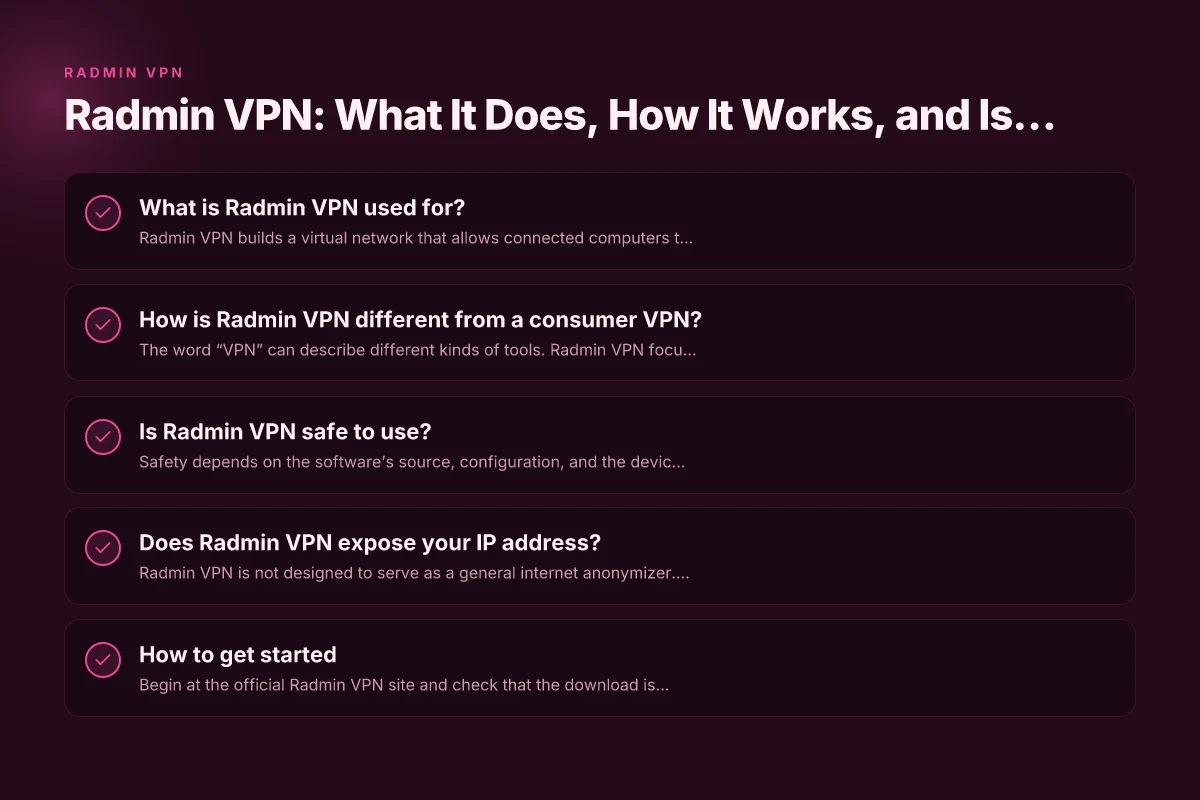
How is Radmin VPN different from a consumer VPN?
The word “VPN” can describe different kinds of tools. Radmin VPN focuses on creating a private network between computers. A consumer VPN service typically routes a device’s broader internet traffic through a provider’s servers, often for privacy on public Wi-Fi or to change the IP address websites see. what is my ip address nordVPN(2026)
| Feature | Radmin VPN | Typical consumer VPN |
|---|---|---|
| Main purpose | Connect computers in a virtual local network | Route internet traffic through a VPN provider |
| Typical use | Network gaming or access between connected computers | Privacy features, public Wi-Fi protection, or location changes |
| Network scope | The virtual network created for participating devices | Often a device’s general internet connection |
| Replaces remote desktop software? | No | No |
Do not assume that installing Radmin VPN makes all your internet activity anonymous or hides your public IP from every service. Its stated purpose is virtual networking, not acting as a general-purpose privacy service. If you need a VPN to route ordinary browsing traffic, look for a service that explicitly offers that function and review its privacy and security policies.
Is Radmin VPN safe to use?
Safety depends on the software’s source, configuration, and the devices and people you connect. Radmin VPN is presented as a tool for securely connecting computers, but no network tool makes every setup automatically safe. A virtual network can create a path between devices, so connecting unknown or untrusted computers deserves caution.
For safer use:
- Download the installer from the official Radmin VPN website.
- Keep the software and Windows up to date.
- Connect only to networks and users you trust.
- Limit access to files, services, and accounts that do not need to be shared.
- Use strong account credentials and follow your organization’s security policies.
- Ask an IT or security professional to review the setup if it will handle sensitive work data.
If you are considering it for healthcare, business, or other regulated information, do not treat a user comment or a product’s general description as proof of compliance. Confirm that the full setup, including devices, access controls, and data handling, meets the requirements that apply to your organization. microsoft edge secure network VPN(2026)
Decide whether Radmin VPN fits your needs
| Your need | Radmin VPN fit | What to consider |
|---|---|---|
| Play a game over a virtual LAN | Good fit | Other players need to join the network |
| Connect to a trusted remote computer | Possible fit | Configure access and trust network members |
| Hide your public IP while browsing | Poor fit | Use a consumer VPN designed for this |
| Browse through a different country | Poor fit | Radmin VPN is not a location-switching service |
| Share access with a small group | Possible fit | Only invite people you trust |
| Protect traffic on public Wi-Fi | Not its main role | Consider a consumer VPN and secure network practices |
| Access files on another networked device | Possible fit | Limit sharing to what is needed |
| Replace a firewall or antivirus | No | Keep other security protections enabled |
Compiled November 2026; check the provider's site for current details.
Does Radmin VPN expose your IP address?
Radmin VPN is not designed to serve as a general internet anonymizer. Its purpose is to connect computers into a virtual local network, so it should not be treated as a way to conceal your IP address from websites or to route all your internet traffic through a privacy provider.
What others can see depends on how you use the software and the services you connect to. In particular, joining a virtual network means participating devices need to communicate with one another. Avoid sharing sensitive information or connecting to people you do not trust, and consult the official product documentation for details about network behavior and configuration. urban VPN(2026)
How to get started
Begin at the official Radmin VPN site and check that the download is for your version of Windows. After installation, use the software’s instructions to create or join a network and share its details only with intended participants.
Before relying on it, make sure that everyone understands what the connection provides. A virtual local network is not the same as a full internet privacy service, and Radmin VPN does not replace endpoint protection, secure passwords, or careful access management.
Getting started and using Radmin VPN safely
| Step or check | What to do | Why it matters |
|---|---|---|
| Download | Get Radmin VPN from its official source | Reduces the risk of fake installers |
| Install | Follow the setup instructions | Ensures the app is installed as intended |
| Create a network | Set up a virtual network | Lets invited devices connect |
| Join a network | Use the network details from its owner | Connects you to the intended group |
| Verify members | Allow only people you recognize | Limits access by untrusted users |
| Check sharing | Review shared files and services | Prevents unnecessary exposure |
| Check IP expectations | Do not assume it hides your public IP | It is not a general-purpose anonymity VPN |
| Keep protections active | Use updates, firewall, and antivirus | Radmin VPN does not replace device security |
Compiled November 2026; check the provider's site for current details. cj VPN(2026)
Recommendation
Choose Radmin VPN if you need a simple way to connect trusted Windows computers in a virtual local network, for example, for network gaming or shared access. Download it from the official site and keep connections limited to people and devices you trust. If your main goal is to protect general browsing traffic, hide your public IP, or meet formal security requirements, assess a solution specifically built and documented for that purpose.